

Description
Download Avast Small Office Protection – small office security, business antivirus, mobile security app, anti-theft, device protection, data privacy, secure network, business protection, online safety, cybersecurity tool
Overview
Avast Small Office Protection is a comprehensive security solution designed for small offices and home offices seeking robust online protection. It serves as a unified cybersecurity tool that safeguards business data, prevents threats like ransomware and phishing, and ensures operational continuity. The software is tailored for organizations without dedicated IT teams, offering automated protection with minimal user intervention. Its core purpose is to provide a layered defense across multiple devices, combining antivirus capabilities with privacy and anti-theft features. The solution is especially useful for remote or hybrid work environments where employees access sensitive data from various locations and devices. Avast Software, a well-known name in the cybersecurity industry, developed this product, lending credibility to its threat detection and response systems. The software supports cross-platform deployment, enabling consistent protection across Windows, Mac, Android, and iOS devices. While specific use cases are not detailed in the provided information, typical applications include securing customer data, protecting financial records, and ensuring compliance with data privacy standards. The developer did not provide additional system requirements or performance benchmarks.
Key Features & Capabilities
- Real-time Antivirus Protection – Monitors system activity continuously to detect and block malware, ransomware, and phishing attempts before they compromise data.
- Multi-OS Support – Available on Windows, Mac, Android, and iOS, ensuring consistent protection across all devices used in small office environments.
- Anti-Theft Tools – Includes remote tracking, device locking, and data wiping for lost or stolen mobile devices. Can also capture images and audio from the device’s camera and microphone if accessed by an unauthorized user.
- Encrypted Photo Vault – Provides a secure, password-protected space for storing sensitive photos, accessible only via PIN, pattern, or fingerprint authentication.
- Privacy and Network Security – Features a built-in VPN to encrypt internet traffic, helping users access public networks securely and maintain anonymity online.
- Device Optimization – Includes tools to clean junk files, free up storage space, improve device speed, and extend battery life.
- Business-Grade Support – Offers technical assistance via email, chat, and phone to support users without in-house IT resources.
These features collectively address common vulnerabilities in small business environments. For example, the anti-theft functionality helps mitigate risks associated with mobile device loss, while the built-in VPN supports secure remote access. The encrypted vault safeguards sensitive visual data, and the optimization tools maintain device performance, reducing downtime. The software is designed to be used across up to 10 devices under a single annual subscription, making it scalable for small teams.
User Interface, Workflow & Performance
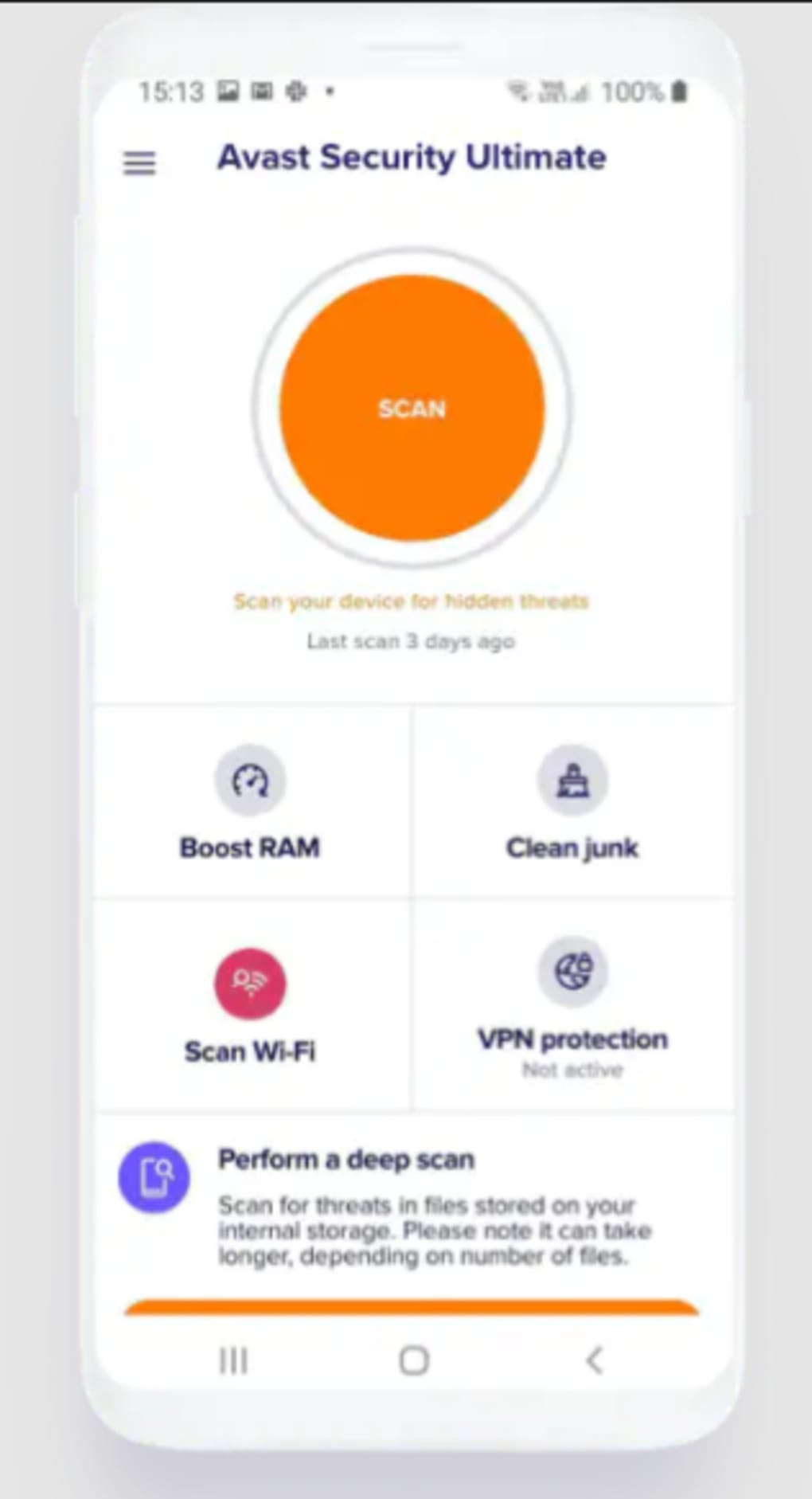
The user interface of Avast Small Office Protection appears to be structured for ease of navigation, with intuitive layouts and clearly labeled sections. Users can access core security functions such as scan, protection status, and device management through a centralized dashboard. Navigation is likely streamlined to minimize user confusion, especially for non-technical personnel. Workflow efficiency is enhanced by automated threat detection and background processing, reducing the need for manual intervention. The software operates with minimal disruption to daily tasks, suggesting optimized background performance. However, exact performance details such as CPU or RAM usage were not specified by the developer. The developer did not provide additional system requirements or performance benchmarks. Performance observations are based on general software behavior patterns. Stability is expected to be high, given Avast’s track record in the security space, but real-world behavior may vary depending on device configuration and network conditions.
Compatibility & System Requirements
Avast Small Office Protection is compatible with Windows, Mac, Android, and iOS operating systems. The software is available in version 1.0.0 and has a file size of 150 MB. It is designed for installation on both desktop and mobile platforms. The device limit is set at up to 10 devices under a single subscription. The developer did not specify exact system requirements, such as minimum RAM, processor speed, or disk space. Compatibility information was partially provided. Users should ensure their devices meet standard operating system versions supported by Avast Software, though specific details are not available. No compatibility issues were reported in the provided data.
Pros and Cons
Pros
- Comprehensive security across multiple platforms (Windows, Mac, Android, iOS)
- Includes unique anti-theft features such as remote tracking, locking, and data wiping
- Built-in VPN enhances online privacy and secure network access
- Encrypted photo vault protects sensitive visual data
- Business-grade support via email, chat, and phone
- Automated real-time protection reduces user burden
- Optimization tools help maintain device performance
Cons
- No free trial available for testing the software before purchase
- Device limit of 10 devices cannot be upgraded within the current plan
- Exact system requirements were not listed
- Pricing may be considered high for individual users
- Performance resource usage details were not provided
FAQ Section
Is Avast Small Office Protection available for both PC and mobile devices?
Yes, the software is compatible with Windows, Mac, Android, and iOS devices, allowing for cross-platform protection across desktop and mobile systems.
Can I use Avast Small Office Protection on more than 10 devices?
Under the current licensing model, the software can be installed on up to 10 devices. The device limit cannot be upgraded within this plan.
Is there a free trial available?
No, a free trial is not offered. However, a 30-day money-back guarantee is available for users who wish to test the software risk-free.
Does the software include a built-in VPN?
Yes, Avast Small Office Protection includes a built-in VPN to help secure internet connections and protect online activities, especially when using public networks.
How is technical support provided?
Users have access to business-grade support through email, live chat, and phone calls, which is especially helpful for organizations without in-house IT staff.
Final Thoughts + CTA
Avast Small Office Protection delivers a strong, all-in-one security solution tailored for small offices and home offices. With its multi-platform reach, advanced anti-theft capabilities, built-in VPN, and dedicated support, it addresses key cybersecurity challenges faced by small teams. While the lack of a free trial and a fixed device limit may be drawbacks for some users, the software’s comprehensive feature set and Avast’s established reputation in cybersecurity make it a reliable choice. The combination of real-time protection, data privacy tools, and performance optimization makes it a valuable asset for maintaining business continuity and safeguarding sensitive information. For small businesses seeking a secure, user-friendly, and scalable security tool, Avast Small Office Protection offers significant value. Download Avast Small Office Protection now.
Guides & Tutorials for Avast Small Office Protection
How to install Avast Small Office Protection
- Click the Preview / Download button above.
- Once redirected, accept the terms and click Install.
- Wait for the Avast Small Office Protection download to finish on your device.
How to use Avast Small Office Protection
This software is primarily used for its core features described above. Open the app after installation to explore its capabilities.
User Reviews for Avast Small Office Protection 0
No reviews found





